


Driving Instructor: Road Test
4.17.00 Reviews
App Specs
- Version
- 1.0.4
- Updated On
- License
- Free
- Downloads
- 1,000,000+
- Developer
- Dijital Elma
- Categories
- Auto & Vehicles
- Platform
- Android
Screenshots
 Analysis by AppCompare
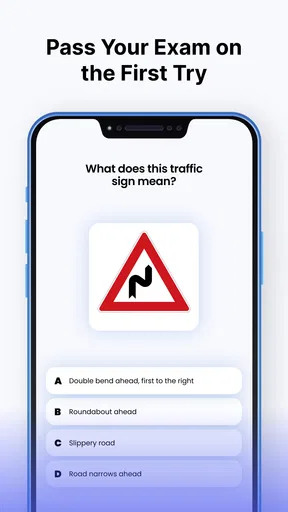
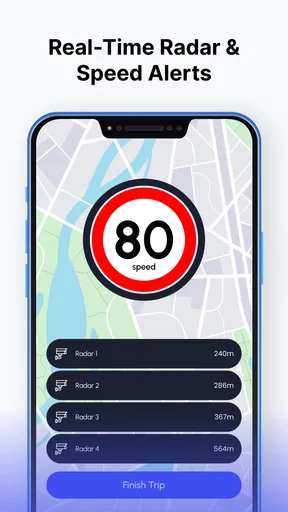
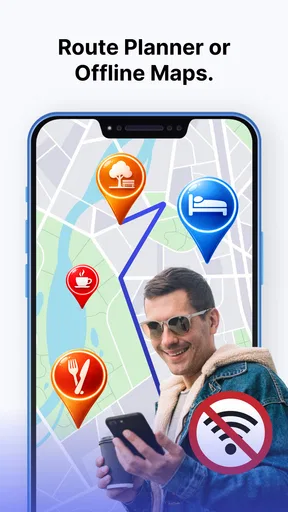
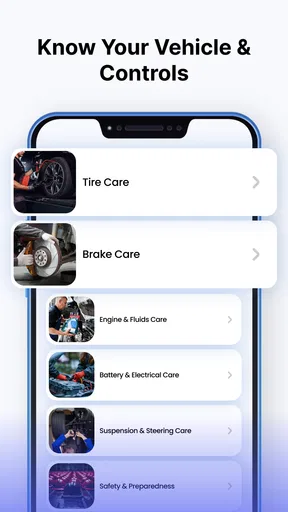
Before relying on any driving-study app, I think it helps to ask a practical question: which parts of learning need a connection, and which can fit into a quiet few minutes between errands? Driving Instructor: Road Test brings together road-sign learning, practice exams, speed-camera alerts, and offline maps, so its appeal spans both study time and trips. That mix is useful, but the experience depends on what you’re doing and whether you’re online.
When a connection matters
Studying signs or working through an exam is different from using a map while travelling. The app’s offline maps are the clearest reason to plan ahead: I’d get the map ready while connected rather than assume every part of the app works without a network. Offline map access can help when reception drops, but it should not be treated as proof that alerts, updates, or every learning tool will behave the same way offline.
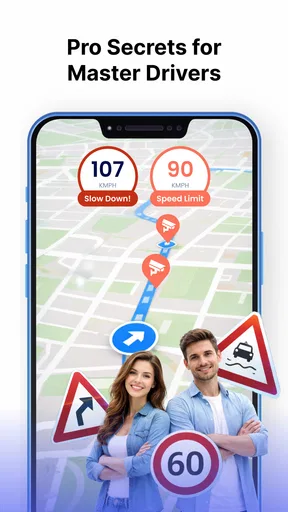
That distinction matters most for speed-camera alerts. Alerts are only useful when they arrive at the right time, and connectivity can affect information that depends on timely updates. I’d treat them as a reminder to stay attentive, not as a substitute for road signs, changing conditions, or local rules. The driver’s job is still to watch the road, not the screen.
For exam preparation, a connection can also be useful for keeping the app ready before a study session. If I were heading somewhere with unreliable reception, I’d open the material I planned to use beforehand and avoid counting on a fresh download or an online-dependent feature. That simple habit makes the app easier to fit into a commute or a waiting-room break.
Useful in short, ordinary moments
A realistic routine is a learner reviewing signs at home, then using a few spare minutes before a lesson to revisit an exam topic. Later, a passenger can check a route on the offline map before a drive through an area with patchy service. That is a better use of a phone than trying to study while driving: set the route and alerts before moving, then put the device away.
The app is best suited to learners who want several driving-related tasks gathered in one place, especially someone balancing theory revision with route planning. It may also help a licensed driver refresh sign knowledge. If you already have a trusted navigation app and only need official test questions for one particular jurisdiction, a dedicated local study resource may be a better fit.
Recovering when service drops
If the network disappears, I’d switch to the part that is meant to be available offline rather than repeatedly refreshing a feature that may need a connection. Before setting out, check that the map area you need is available for offline use, and keep a backup plan for navigation. Offline maps reduce dependence on signal; they do not remove the need to prepare or pay attention to road conditions.
Worth Reading Before You Choose

EA SPORTS FC Mobile 26 Is a Bigger Football Game, but It Takes Time

Flipboard Shows What News Apps Must Do Beyond the Feed

Switching to Android Auto Means Rethinking Your Driving Routine

Google Calendar Makes a Crowded Week Easier to Manage

Ludo King Makes the Most of the Minutes Between Plans

Baby Panda World Brings Quick Play to Modern Phones, but Its Game Library Feels Busy
When an alert or page does not load, the safest response is not to troubleshoot while moving. Pull over legally and safely, or wait until the trip is over, then try again. For study, save the session for a place with reliable reception if the material will not open. This is a small but worthwhile trade-off: a little preparation can prevent a phone problem from becoming a driving distraction.
Keeping phone use sensible
Maps and alerts can use mobile data when a connection is active, so I’d use Wi-Fi for preparation where practical and reserve mobile access for what I actually need on the road. The app is free to download, though in-app purchases range from $6.99 to $39.99 per item. I’d first work out whether its basic study and navigation tools suit my routine before paying for anything extra, rather than assuming every purchase is necessary.
There is also a practical battery trade-off whenever a phone is used for navigation or alerts: screen time and location-based use can make a long outing less convenient. I’d start with a charged phone, set the route in advance, and keep the display from becoming something to watch continuously. These habits matter more than squeezing one more feature into a trip.
Getting Started with Driving Instructor: Road Test
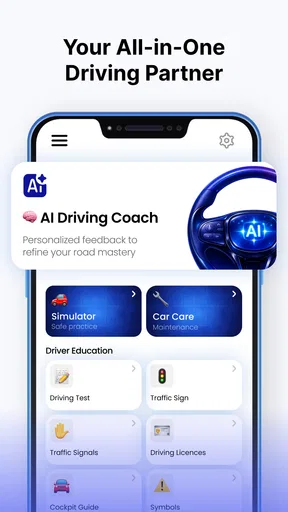
So, what’s the first thing you notice when you fire up Driving Instructor: Road Test? It’s got this super sleek interface that doesn’t overwhelm you with too many options right off the bat. You know those apps that bombard you with a million buttons and features? Yeah, this isn’t one of them. Instead, it eases you in with a simple, clean layout that’s incredibly user-friendly.
Features That Drive Success
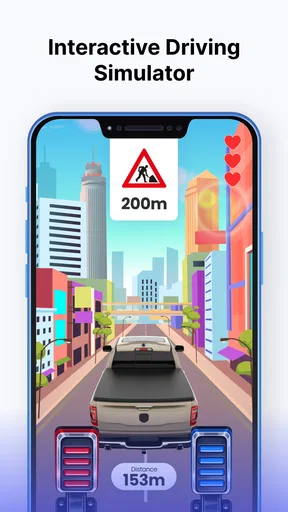
Let’s talk features. This app is packed with everything you need to get behind the wheel with confidence. One of the standout features is the interactive road scenarios. These are like mini driving simulations that walk you through common traffic situations. Whether it’s handling a four-way stop or merging onto a busy highway, these scenarios are pure gold for anyone nervous about hitting the road.
Another cool aspect is the personalized feedback. After you complete a practice test or scenario, the app doesn’t just give you a score and call it a day. Nope, it breaks down what you did well and where you could improve. It’s like having a patient instructor by your side, minus the awkward small talk.
Learning on the Go
We’re all busy, right? That’s why I love how this app lets you learn at your own pace. Got a few minutes to kill while waiting for your coffee? Dive into a quick lesson or two. The bite-sized lessons mean you can squeeze in learning whenever you have a spare moment. Plus, the app’s offline mode is a lifesaver when you’re out of Wi-Fi range but still want to get some practice in.
Design and Usability
Let’s talk about the design for a sec. It’s crisp, modern, and intuitive. The developers nailed the balance between functionality and aesthetics. Navigation is a breeze, with clear icons and logical flow. Plus, the app doesn’t lag or crash, which is a huge plus in my book.
For those who are visual learners, the app incorporates plenty of graphics and short clips to illustrate driving concepts. It’s like having a visual guide right there on your screen. The combination of visual and textual information ensures that no matter your learning style, you’re covered.
Community and Support
One thing that sets this app apart is its community feature. You can connect with other learners, share tips, and even ask questions. It’s like a mini support group for drivers. And if you ever run into any issues, the customer support team is responsive and helpful. It’s clear that the developers are committed to making sure users have the best experience possible.
Putting it in context
Driving Instructor is an Auto & Vehicles app from Dijital Elma, aimed at the overlap between learning road rules and practical driving preparation. It has a 0.0 average rating and over 50,000 installs, so those figures do not offer much basis for judging how other users feel about it. I’d weigh the app’s fit for my needs more heavily than its popularity figures.
It is free to download, rated for Everyone, and currently at version 1.0.1. It was released on April 13, 2026, and requires Android 7.0 or later. Those details make it accessible to many Android users, though anyone on an older device should check compatibility before planning to use it. The iOS availability is not something I’d assume from the Android requirements.
Compared with using a separate driving-theory quiz, a navigation app, and a paper sign guide, the main convenience here is having those purposes gathered under one roof. The trade-off is that a dedicated resource may offer more jurisdiction-specific detail or a workflow better matched to a particular licensing exam. I’d use this app as a study companion, then confirm local test requirements through an authoritative source and practise with a qualified instructor.
Who will get the most from it
I’d recommend it most to a learner who benefits from alternating between sign review, practice exams, and planning a route. One useful approach is to keep a short list of signs or question topics that cause hesitation, then revisit just those during spare moments instead of repeatedly taking full tests. That turns brief sessions into targeted revision and makes it easier to notice whether the same misunderstanding keeps coming back.
It is less compelling for someone who wants a complete substitute for supervised driving practice. A phone can help with knowledge and preparation, but it cannot judge a learner’s mirror checks, positioning, timing, or confidence in live traffic. Nor would I choose it as the sole navigation solution for a trip where dependable live routing is essential. In those cases, pair it with instruction or a navigation option designed around that need.
Final Thoughts
In a nutshell, Driving Instructor: Road Test is a must-have for anyone looking to ace their driving test or boost their confidence on the road. It’s packed with features, easy to use, and incredibly effective. Whether you’re just starting out or looking to refresh your skills, this app has got you covered.
So, why not give it a spin? It’s like having a driving instructor in your pocket, ready to guide you every step of the way. Safe driving, and see you on the road!
My more measured take is that its combination of learning tools, alerts, and offline maps could make it a handy companion, provided you plan around connectivity and keep your attention on driving. I would start with a study session at home, try the map preparation before a familiar trip, and see whether that combination genuinely suits my routine. If it does, the app earns a place in my preparation; if I need highly specialized exam guidance or live navigation above all else, I’d choose a focused alternative instead.
Pros
- Intuitive interface for easy navigation.
- Comprehensive practice test sections.
- Realistic driving scenarios.
- Supports multiple languages.
- Offline mode available.
Cons
- Limited customization options.
- Occasional ads can be distracting.
- Some features require in-app purchases.
- Not optimized for tablets.
- Requires frequent updates for accuracy.
FAQs for Driving Instructor: Road Test
What are the main features of Driving Instructor: Road Test?
Driving Instructor: Road Test offers a realistic driving simulation experience, featuring a variety of vehicles and road conditions. Users can practice parallel parking, lane changes, and highway driving. The app includes a comprehensive tutorial mode, customizable difficulty settings, and real-time feedback on driving performance to help improve skills.
Is Driving Instructor: Road Test suitable for beginners?
Yes, Driving Instructor: Road Test is designed for both beginners and advanced users. The app includes a tutorial mode that guides new drivers through basic maneuvers, while more experienced users can challenge themselves with advanced scenarios. The adjustable difficulty settings make it accessible for all skill levels.
Does Driving Instructor: Road Test require an internet connection?
Driving Instructor: Road Test can be used offline, allowing users to practice driving skills without an internet connection. However, certain features, such as leaderboard updates or accessing online tutorials, may require a connection. Offline mode ensures you can practice anytime, anywhere.
Are there any in-app purchases in Driving Instructor: Road Test?
Yes, the app offers in-app purchases. Users can buy additional vehicle models, unlock advanced levels, or remove ads for a more seamless experience. While the basic version is free, these optional purchases enhance gameplay and provide additional customization options.
How does Driving Instructor: Road Test help improve driving skills?
Driving Instructor: Road Test provides real-time feedback on your driving, highlighting areas for improvement. The app simulates real-world driving scenarios to build confidence and competence. With detailed reports and progress tracking, users can focus on specific skills, ensuring a comprehensive learning experience.


